
Phần mềm diệt virus hiệu quả của hãng AVG, giao diện thân thiện, đơn giản, dễ dùng; tốc độ quét nhanh, update online, đặc biệt là không tốn nhiều tài nguyên.
Chức năng chính:
-Bảo vệ thời gian thực
-Bảo vệ PC thân yêu của bạn khói các mối nguy hiểm
-Loại bỏ virus khỏi file bị nhiễm nhưng vẫn giữ nguyên(ko phải thành công 100%)
-Phát hiện các đoạn mã độc chưa có trong database
-Email Scanner
-Nhiều chức năng khác......
AVG Anti-Virus has been protecting computers around the world for more than 12 years!
AVG for workstations provide comprehensive antivirus protection for personal computers. The unique combination of detection methods (heueristic analysis, generic detection, scanning and integrity checking) ensures that your computer receives the maximum protection possible on multiple levels (Resident Shield, Email Scanner plug-ins, Personal Email Scanner, On-Demand and other tests, etc.). It is available as AVG Professional Single Edition for single workstation protection and AVG SoHo Edition (Small office - Home office) for home or small offices.
Highlights include:
- Automatic update functionality
- The AVG Resident Shield, which provides real-time protection as files are opened and programs are run
- The AVG E-mail Scanner, which protects your e-mail
- The AVG On-Demand Scanner, which allows the user to perform scheduled and manual tests
- The AVG heueristic analysing monitor
- Free Virus Database Updates for the lifetime of the product
- AVG Virus Vault for safe handling of infected files
- Great customer satisfaction!
Sunday, November 11, 2007
AVG Anti-Virus Professional Edition 7.5.483

Monday, October 8, 2007
Rugby World Cup
Argentina coach Marcelo Loffreda said reaching the World Cup semi-finals is one of the greatest achievements in the country's sporting history.
The Pumas beat Scotland 19-13 to book a spot against South Africa next Sunday.
Loffreda said they had not been as slick as in the wins over France and Ireland, but added they would be fully ready to take on the Springboks.
"This is hugely worthy, and to my mind one of the greatest achievements in Argentine history," he said.

"Obviously, we also look at all the work that has gone behind it to bring about today's (Sunday's) result.
"We have recorded the biggest success we could ever have imagined. It isn't over yet of course and we will do some hard work over the next week."
Argentine captain Agustin Pichot, who has been instrumental in the Pumas' recent upsurge in form, agreed that the team had not been able to keep up their high intensity game as on previous occasions.
"It was very tough," said the 33-year-old former Stade Francais scrum-half.
"We were playing one of the best sides in the world and lacked freshness after playing two really tough matches.
"We tried to change our tactics. Everything can become difficult and run out of your hands if you do that."
Loffreda admitted the penalty count against his side was frustrating and insists he will work hard with his team to eradicate the mistakes next Sunday.
"We still controlled the game early in the second half, but we needed to be a bit more disciplined," said the Leicester Tigers-bound coach.
"Perhaps it was from the 15th minute of the second-half we began to make mistakes and lose the ball.
"That is how they scored their try and all that generates nerves and emotions. You have to control those at this level."
Pichot, who is playing in his fourth World Cup, said that the great strength of the Pumas was how close they were to each other.
"It's very difficult to express how I feel at the moment and I can only praise the players," said Pichot.
"We are a really tight knit family. Perhaps we are not the best, technically speaking, but we did everything in our power to achieve this and that is how we all feel.
"If you look at the English match (the Pumas won for the first time ever at Twickenham last November) we can be playing well or badly but if you play with your heart on your sleeve then that gives you something extra special.
"We are not talking about Pichot or Hernandez (fly-half Juan Martin) but a team. We all come together and work for each other."
Wednesday, September 26, 2007
Man Utd 0-2 Coventry
Championship side Coventry sprung a major surprise by sending a re-shuffled Manchester United crashing out of the Carling Cup at Old Trafford.
United boss Sir Alex Ferguson changed his entire team from Sunday's win against Chelsea and paid the price.
Coventry, backed by 11,000 fans, went ahead after 27 minutes when Michael Mifsud turned in Michael Doyle's cross.
And Mifsud killed off United with 20 minutes left, firing high into the net after Jay Tabb fashioned an opening.
United may have rung the changes, but their side still contained six full internationals and the result is a major embarrassment for Ferguson.
Nani, United's £17m summer buy from Sporting Lisbon, was a serious disappointment with his final ball and shot almost always poor.
Mifsud's opener was no more than Coventry deserved as Old Trafford voiced its disapproval at United's struggles, taking advantage of good work by Doyle to score.
Ferguson delivered his own damning verdict on his side's performance by introducing Wes Brown and young striker Fraizer Campbell at the break.
A third - and final - change followed 10 minutes after the restart as Michael Carrick was introduced for Jonny Evans, but it was all to no avail.
The second period was halfway through before United carved out anything like an opportunity as David Marshall parried Dong Fangzhou's shot into the path of Carrick, whose follow-up effort was blocked at close range.
Coventry keeper Andy Marshall then produced an outstanding fingertip save to deny Dong after 69 minutes, whose header was floating into the top corner.
The value of that stop was proved within a minute as Mifsud doubled his tally.
He picked up possession on the left, then when Tabb overhit his first touch as he tried to collect the winger's pass, Mifsud raced on and rocketed the ball home.
Mifsud will probably never know how he failed to walk off with the match ball as keeper Tomasz Kuszczak pushed into his path, but he somehow failed to find the target.
Man Utd: Kuszczak, Bardsley (Brown 45), Evans (Carrick 56), Pique, Simpson, Nani, Martin (Campbell 45), O'Shea, Eagles, Dong, Anderson.
Subs Not Used: Heaton, Eckersley.
Booked: Pique.
Coventry: Marshall, Osbourne (McNamee 88), Ward, Turner, Borrowdale, Simpson, Stephen Hughes, Doyle, Tabb, Mifsud, Best (Adebola 90).
Subs Not Used: Konstantopoulos, De Zeeuw, Thornton.
Goals: Mifsud 27, 70.
Att: 74,055
Ref: Mark Halsey (Lancashire).
Sunday, September 23, 2007
Man Utd 2-0 Chelsea
Last Updated: Sunday, 23 September 2007, 16:57 GMT 17:57 UK  |
 E-mail this to a friend
  Printable version
 | Man Utd 2-0 Chelsea | ||
 Chelsea put in a resolute showing but had Mikel Jon Obi harshly sent off for a rash tackle on Patrice Evra. United then went ahead after first-half injury-time had elapsed with a near-post Carlos Tevez header. Chelsea stubbornly kept the deficit to one goal until Lo | ||

They traded high-fives and hugs in a show of unity as they gathered together just before kick-off.
If there was any fragility about the Blues' resolve, a professional United quickly tried to expose it as they took a stranglehold of the game.
United striker Wayne Rooney cut inside Ben Haim on the edge of the box and curled a shot on the visitors goal which keeper Petr Cech finger-tipped wide at full-stretch.
Chelsea heeded the warning and duly got into their stride, producing some promising periods of play - only to squander their good work with poor decisions and a lack of a cutting edge in the final third.
The home side were denied a penalty when a sliding Joe Cole appeared to make contact with Evra ahead of getting a touch on the ball, before Giggs then wasted a gilt-edged chance.
Michael Essien gave the ball away to Rooney and he crossed for Giggs, who side-footed a volley high from a tight angle at the far post.

Chelsea suffered a setback when Mikel was sent off when he led with his studs as he chased down the ball and their resistance finally buckled on the stroke of half-time.
Giggs curled an outswinging cross to the near post with the outside of his left foot and Tevez got his head to the ball before Cech to head in his first goal for the club.
Chelsea will be unhappy referee Mike Dean did not blow for half-time before the goal as the allotted two minutes of added time had already elapsed.
United pressed for a second after the break and Giggs blazed a volley high but the home side struggled to create chances as a determined Chelsea held them at arm's length.
Joe Cole was fortunate to stay on the pitch for a lunge at Cristiano Ronaldo as Chelsea hoped to snatch an equaliser.
But the visitors' hopes were ended when Saha stroked in a penalty to move United up to second and leave the visitors five points adrift of top place in the Premier League.
Man Utd: Van der Sar, Brown, Ferdinand, Vidic, Evra, Ronaldo, Scholes, Carrick, Giggs, Tevez (Saha 79), Rooney.
Subs Not Used: Kuszczak, Nani, Pique, O'Shea.
Booked: Rooney, Brown.
Goals: Tevez 45, Saha 90 pen.
Chelsea: Cech, Ferreira, Ben-Haim, Terry, Ashley Cole, Makelele, Essien, Obi, Joe Cole (Pizarro 76), Shevchenko (Kalou 59), Malouda (Wright-Phillips 69).
Subs Not Used: Cudicini, Alex.
Sent Off: Obi (32).
Booked: Joe Cole, Terry.
Att: 75,663
Ref: Mike Dean (Wirral).
Wednesday, September 12, 2007
Ashampoo Magical Snap 2.20
 Ashampoo Magical Snap 2 is a screen capture tool with powerful and intuitive editing capabilities. It enables you to capture virtually anything on your screen – all or part of program windows, websites, the desktop and anything else displayed on your computer’s monitor. Then you can use the editing tools to enhance the screenshot and turn it into a really attractive image.
Interactive guides show you how to perform every operation. All features are also so simple to use that you can get results really fast. For example, the unique Mouse Tools editing tools display their options next to the mouse pointer so that you don’t have to search in menus. You have to try it to appreciate it, Mouse Tools are truly cool and make image editing amazingly easy!
Scrolling Window Capture
The latest version of the popular Ashampoo Magical Snap screen capture program introduces a radical improvement: The ability to capture all the contents of a Window, including the parts that are currently scrolled off screen. This is something that most capture programs are incapable of and it is achieved with an advanced new capture technology.
Scrolling window capture works both with the content of web browsers and the content windows of most application programs. Using it couldn’t be easier – you just select the window to capture and Ashampoo Magical Snap 2 automatically “scrolls” the window contents into a single captured image.
Multiple monitor support
Another major improvement is full support for capturing images on systems with multiple monitors. Many other screen capture programs cannot do this or produce unsatisfactory results. Ashampoo Magical Snap 2 automatically identifies multi-monitor systems and captures screenshots perfectly from any monitor.
Improved image editing with new tools
The editing capabilities of the new version have also been thoroughly updated and enhanced. Now you can turn your screenshots into professional-looking images in no time.
Enhancements here include new functions (Flip, Mirror, Drop Shadow, Grayscale, Pencil), new and improved Mouse tools (Callout, Line, Highlight Area, Marker, Select, Draw Text, Arrow, Eraser), radically improved print support (DPI settings, large images, wide desktops, entire websites etc.) and new capture effects that you can apply on the fly while capturing your screenshots.
Enhanced usability and user interface
Ashampoo Magical Snap 2 is also easier to use than ever, with a much more powerful and intuitive user interface. Almost every aspect of the program has been overhauled. Improvements include better support for multiple captures, more hotkeys, better zoom and scroll features (mouse wheel, keys, cache), separate Undo/Redo for every capture, drag resize, easier configuration and much more.
Version 2.2 adds options to activate top-most style for Edit Mode, to print Web sites with best fit to width.
Homepage - http://www.ashampoo.com
Size: 6.64 MB
PC Tools AntiVirus Free Edition 3.6.0.34
 Powerful free protection against malicious virus infections! PC Tools AntiVirus provides world-leading protection against viruses, worms and Trojans with rapid updates and OnGuard™ technology.
With PC Tools AntiVirus Free Edition you are protected against the most nefarious cyber-threats attempting to gain access to your PC and personal information. Going online without protection against the latest fast-spreading virus and worms, such as Netsky, Mytob and MyDoom, can result in infections within minutes.
Once infected, the virus will usually attempt to spread itself to your friends, family and associates by accessing your email contacts and networked PCs. The infection may also allow hackers to access files on your PC, use it to launch attacks against other computers and websites or to send mass SPAM email.
That's why PC Tools AntiVirus Free Edition provides world-leading protection, with rapid database updates, OnGuard™ real-time protection and comprehensive system scanning to ensure your system remains safe and virus free. PC Tools products are trusted and used by millions of people everyday to protect their home and business computers against online threats.
PC Tools AntiVirus Free Edition feature highlights:
• Protects your PC as you are working, surfing and playing
• Detects, quarantines, disinfects and destroys Viruses, Trojans and Worms
• OnGuard™ protects your computer against threats in real-time
• Automatically checks for frequent updates against the latest threats
Designed for Windows® Vista™, XP and 2000
Homepage - http://www.pctools.com/free-antivirus/
Size: 18.9 MB
Sunday, September 9, 2007
Universal Viewer (ATViewer) Free 2.4.1
 Universal Viewer (ATViewer) is a lightweight and versatile file viewer that can open virtually any file format including PDFs, Fonts, Flash Video, SWF animations, Microsoft Office formats, Images, Music and Video Files. Supported view modes and corresponding file formats are:
• Text/Binary/Hex/Unicode: all files (unlimited size)
• RTF: RTF/ UTF-8 encoded files
• Images: BMP/ JPG/ ICO/ GIF/ PNG/ WMF/ TGA/ TIFF/ PCX/ PSD/ etc
• Multimedia: all file types supported by MS Windows Media Player (AVI/ MPG/ WMV/ MP3/ etc)
• Internet/Office: all file types supported by MS Internet Explorer (HTML/ XML/ DOC/ XLS/ etc)
• Plugins: all formats supported by Total Commander Lister plugins.
Application is fully Unicode-compatible and can be integrated into Windows Explorer's context menu, so there is no problem to call it from anywhere in Explorer: right-click on a file and select "Universal Viewer" item. It can also be integrated into other popular file managers.
Generally, Universal Viewer is an application similar to Total Commander Lister. But, comparing to Lister, it has some major advantages:
• Full support for Unicode filenames
• Built-in functions of several popular plugins: images/multimedia/web-pages view
• Toolbar, status bar, other interface improvements
• Auto-reloading of file on changing, "Follow tail" option
• More modern RegEx search library
In the Lister plugins section you will find the list of rather good Lister plugins to use in conjunction with UV. These plugins are developed by 3rd parties and are not included into UV installation.
Works on Windows 9x/ME/NT/2000/XP/Vista
What's new in version 2.4.1:
* Changed: Reworked "View -- Internet -- Offline" option: global IE Offline flag is used. Now when option is checked, UV should not connect to Internet at all. Default option value is unchecked now.
* Fixed: Hidden menu appeared after returning from the Full Screen mode.
Homepage - http://www.atorg.net.ru/universal_viewer/
Size: 811 KB
RapGet 1.38
 RapGet (RAPidshareGET) is a downloader with code recognition for such share servers as rapidshare.de, megaupload.com, slil.ru and others.
It has for 65 free share services, , and is free.
Changes in v1.38 from 09.09.2007:
* Fixed Premium for Filefactory
Requirements: You need install SSL libraries for correct working with Rapidshare, download from: here
Homepage - http://www.rapget.com/en
Size: 262 KB
Friday, August 31, 2007
ZoneAlarm Security Suite 7.0.397.000 Beta
ZoneAlarm là phần mềm tường lửa tốt nhất thế giới ,ngăn chặn hacker,virus,worm và những nguy cơ khác. Nó kết hợp tường lửa mạnh nhất với các công cụ antivirus,để ngăn chặn và bảo vệ hữu hiệu bạn trước các hiểm họa từ Internet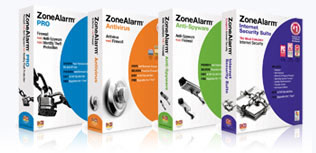
ZoneAlarm Security Suite is the easy-to-use, comprehensive security solution that is based on the world's best firewall to keep out hackers, viruses, worms, and other threats. It combines the most popular firewall with antivirus, Web site filtering, privacy protection, instant messaging security and more to provide the best overall protection of any PC security suite.
ZoneAlarm Security Suite is comprehensive, all-in-one suite is a tightly
integrated set of advanced security layers that, together, create the most secure protection in the industry. Uniquely engineered to prevent threats from getting on a PC in the first place, it has won more major awards than any other security software on the market. The suite combines the robust security features computer experts demand with automatic functions that make it simple enough for novices to use.
ZoneAlarm® Security Suite - Complete Internet Security:
- Network and Program Firewall Operating System Firewall - IMPROVED
- Antivirus
- Identity Theft Protection - IMPROVED
- Anti-Spyware - NEW
- Spy Site Blocking - NEW
- Privacy Protection
- Anti-Spam & Anti-Phishing
- IM Protection
- Game Mode - NEW
Delivers proactive firewall protection with multiple layers of security that stop inbound, outbound, and program attacks while remaining completely invisible to hackers.
- Guards the network perimeter from inbound and outbound threats with the world's #1 firewall
- Prevents spyware and other malicious programs from sending your personal information across the Internet
- Automatically makes your computer invisible to anyone on the Internet
- Protects your programs from malware
Beyond the firewall function, ZoneAlarm Security Suite includes an antivirus scanner based on Computer Associates' Vet Anti-Virus. The privacy-protection features let you apply settings individually to different Web sites. The ID Lock feature stores personal information, such as social security and credit card numbers. Security Suite is the only version of ZoneAlarm to incorporate a basic filter that blocks sites according to various types of content; you can configure it to block various types of naughtiness or just one category, such as racist material. Security Suite also incorporates the company's IMSecurity program, which protects instant-messenging programs from spam and encrypts messages (so long as the person on the other end also is using IMSecurity). Users looking for one solution to just about all their Internet security concerns can turn to ZoneAlarm Security Suite.
New and improved features in ZoneAlarm version 7.0.337.000 :
- New Anti-spam version with enhanced image spam detection capabilities
- Antivirus updates that were failing with some proxy settings have been restored
- Antivirus licensing that allowed some customers’ antivirus to stop functioning has been fixed
- Other enhancements to optimize antivirus scanning, treatment and updating
- Fixed Microsoft Security Center notifications not being updated correctly
- Fixed issue where expert rules disappeared after a restart
- Added install gates for AV SKU’s to prevent BSOD for users that have not upgraded their Spydoctor and System Mechanic’s builds to the latest one that fixed the problem
- A change was made to allow per application expert rules
- Removed Google Desktop installation warning
- Fixed issue with the parental control blocked page images not being displayed
- Some rare reports of crashing have been iso
Tải về tại đây
Hướng dẫn cài đặt
IphotoDVD Wizard 2.6 b25
The transformation includes photo to dvd, photo to vcd, photo to mpeg, jpg to mpg and jpg to mpeg.You can creat photo video, photo show on DVD easily. These files can also be viewed on computer.
Here are some key features of "IphotoDVD Wizard":
· DVD are well supported.
· Professional user interface and very easy to use.
· Powerful photo editor integrated makes it easy to edit your photos.
· Choose from hundreds of transition effects for your slideshow.
· Choose background music (MP3) for your album.
· And multiple music files for a single slide show is supported.
· Easily control for individual photos.
· Select different display times and transition settings for individual photos.
· You can now add text, photo date, file name on your photo. And easily to change the font of the text.
· Easily to organize your photos into multiple albums.
· Preview movie before making.
· Auto/manual synchronize audio & video
· Sorting of photos by NAME, SIZE, TYPE, DATE
Limitations:
· 15 days trial.
| Softpedia guarantees that IphotoDVD Wizard 2.6 b25 is 100% CLEAN, which means it does not contain any form of malware, including but not limited to: spyware, viruses, trojans and backdoors. This software product was tested thoroughly and was found absolutely clean, therefore it can be installed with no concern by any computer user.However, it should be noted that this product will be retested periodically and the award may be withdrawn, so you should check back on this page from time to time. |
 IphotoDVD Wizard Download
MP3DJ PRO 3.1
Don't worry about doing complex settings only four settings are needed: Transition Type, Transition Time, Cut First and Cut Last seconds of each mixed song.
+PLUS the interesting feature of using more than one sound card in the same computer.
MP3DJ PRO can playback playlists in diferent sound cards, so more than one window of the program can be running at the same time, one window can be used as Previous Output (Head Set) and the other window for playing back to AIR.
The idea is to hear what song to play next before actually play that song to air.
This same feature can also be used for playing several channels (playlists) of mixed music from the same computer at the same time.
Drag and drop files between windows to move songs from one channel to the other.
Limitations:
· Demo version does not allow the use of two different sound cards as outputs.
| Softpedia guarantees that MP3DJ PRO 3.1 is 100% CLEAN, which means it does not contain any form of malware, including but not limited to: spyware, viruses, trojans and backdoors. This software product was tested thoroughly and was found absolutely clean, therefore it can be installed with no concern by any computer user.However, it should be noted that this product will be retested periodically and the award may be withdrawn, so you should check back on this page from time to time. |
MP3DJ PRO Download
Portable FastStone Capture 5.6
Portable FastStone Capture description
FastStone Capture is a powerful, flexible and intuitive screen-capture utility
FastStone Capture is a powerful, flexible and intuitive screen-capture utility. It allows you to capture anything on the screen including windows, objects, full screen, rectangle regions, freehand-selected regions and scrolling windows/web pages.
FastStone Capture has innovative features such as a floating Capture Panel, hotkeys, printing, cropping, e-mailing, text annotation, resizing, screen magnifier and many more.
Here are some key features of "Portable FastStone Capture":
· A small floating Capture Panel that can be dragged
anywhere or minimized to the Windows tray area
· Resource friendly - uses a very small amount of memory, especially when minimized to the Windows tray area
· Global hotkeys to activate the program's capture capabilities anytime, anywhere
· Efficient tools to capture windows, objects, full screen, rectangle/freehand-selected regions and scrolling areas
· Capture web pages in Microsoft Internet Explorer, FireFox and Opera
· Option to specify destination (internal editor, clipboard or file) where the captured image will be sent
· Screen color picker
· Text/Arrowed line/Highlight/Watermark annotation
· Resize, crop, brightness, contrast, gamma, sharpen, blur, gray, negative
· Zoom in/out
· Undo/Redo
· Save as BMP, JPEG, JPEG2000, PNG, GIF, TIFF, TGA
· Send captured images in e-mails
· Screen Magnifier
· Divide it into multi-pages when printing long document
· Multi-monitor support
· Option to run when Windows starts
Requirements:
· 256MB RAM
· 5MB space in hard drive
· Mouse
Limitations:
· 30 days trial
What's New in This Release:
· Added option "Negative" to the Screen Magnifier, which allows users with low vision to see a magnified color-reversed screen
· In the Screen Magnifier, now it is possible to pan around the magnified screen with arrow keys
· Added "Reset Capture Panel Position" to the right-click menu of the system tray icon... [ read full changelog ]
Download trial version
External Mirror
Wednesday, August 29, 2007
Sunday, August 26, 2007
BitDefender Total Security 2008 Build 11.0.9
 BitDefender Total Security 2008 - the Ultimate Proactive Protection for Your PCs
BitDefender®, a global provider of award-winning antivirus software and data security solutions, has launched BitDefender 2008 – its new line of security solutions providing state-of-the-art proactive protection from today’s most damaging viruses, spyware, hackers, spam, phishing attacks, and other common Internet security threats.
The BitDefender 2008 product line, which includes BitDefender Antivirus 2008, Internet Security 2008 and Total Security 2008, is designed to protect a wide variety of computer usage scenarios ranging from individual PC users and multi-PC families to SoHo businesses.
BitDefender Total Security 2008 provides the ultimate proactive protection for your PCs. It combines state of the art protection against viruses, spyware, hackers, spam and other Internet security threats. Moreover, its system maintenance and PC backup tools keep your PC running fast and protected from data loss.
BitDefender Total Security 2008 is designed for users who desire the ultimate in protection from Internet security threats and data loss, with integrated backup and PC maintenance tools to keep their PC running at peak performance. Total Security includes all of the features and benefits of Antivirus 2008 and Internet Security 2008, as well as the following new features:
• Data backup – safeguarding data by creating backup copies to local and removable drives, CD-R/RW or DVD-R/RW
• PC Tune-up – improving PC performance by removing unnecessary files and registry entries
• Trace clean-up – which completely erases files and “traces” of files from disks to prevent recovery
“BitDefender 2008 provides home and SMB users with an unmatched level of protection that defends against tomorrow’s threats today,” said Bogdan Dumitru, BitDefender CTO. “As hackers and spammers rapidly change their tactics, our patent-pending B-HAVE heuristics technology provides users with the highest levels of proactive protection from zero-day and unknown malware threats. The new capabilities offered in BitDefender 2008 – including 64-bit support and the Gamer Mode – also demonstrate BitDefender’s ongoing commitment to evolve its offerings to meet the needs of today’s latest applications.”
ANTIVIRUS & ANTISPYWARE
* Protects your PC in real time from known viruses, spyware and other malware with hourly updates
* Blocks unknown viruses using advanced proactive detection techniques
* Monitors and prevents spyware threats in real-time
* Detects and removes the newest breed of hidden threats known as rootkits
* Provides a smooth gaming experience by reducing the system load to a minimum
ANTI-PHISHING
* Protects against phishing attacks by filtering all accessed web pages for fraud attempts
* Reduces the risk of identity theft by preventing personal information leaks via e-mail or web.
FIREWALL
* Controls applications’ access to the Internet while “hiding” your computer from hackers
* Helps prevent unauthorized access to your Wi-Fi network by notifying you when computers log in to the network.
ANTISPAM
* Prevents different types of spam and scam e-mails from reaching your Inbox
* Now responds faster to new spamming techniques with new adaptive engines
PARENTAL CONTROL
* Blocks access to inappropriate websites and e-mail
* Allows or blocks web access during specified time periods
BACKUP
* Safeguards your data by creating backup copies to local and removable drives, CD-R/RW or DVD-R/RW
* Automatically backs up only new files, based on a pre-set schedule.
TUNE-UP
* Improves your PC performance by removing unnecessary files and registry entries
* Completely erases files and "traces" of files from disk to prevent recovery
BitDefender 2008 is compatible with Windows 2000 (with service pack 4), Windows XP (with service pack 2) and Windows Vista and supports Microsoft Outlook 2000, 2003, and 2007, Outlook Express, Windows Mail, and supports Mozilla Thunderbird 1.5 and 2.0.
Homepage - http://www.bitdefender.com
Auslogics Disk Defrag 1.3.7.235
 Disk fragmentation leads to system slowdowns, PC crashes, slow startup and shutdown and sometimes to system failures. Auslogics Disk Defrag® is designed for fast optimization of today's modern hard disks. Get the maximum performance out of your expensive hardware investments. And it's absolutely FREE. It works on Windows XP/2000/2003 and Vista.
- Improve computer performance and stability
- Increase your productivity - no more waiting for files to open
- Defragment disks in only a few minutes
- Useful disk fragmentation map and detailed fragmentation report
- Windows XP Home and Professional, 2000/2003 and Vista supported
Hard disks are by far the slowest component in your computer. CPU and memory work much faster than hard disks because they do not have moving parts. Therefore fragmented disks often become a bottleneck of the system performance.
Besides causing slowdowns, fragmentation makes the hard drive disk heads move frequently when reading files which leads to freeze-ups and system crashes. It is important to keep your disks defragmented and optimized as much as possible.
Changes in version 1.3.7.235:
- adds a new feature: ability to remove temporary files before defragmentation
- adds a new feature: ability to set the resource usage (low, normal, high)
- improves disk defragmentation speed
- improves GUI design and fixes Windows Visa fonts
- improves disk fragmentation map
- various bug fixes and optimizations
Homepage - http://www.auslogics.com/disk-defrag/
Size: 1.52 MB
Saturday, August 25, 2007
ConceptDraw Professional v7.2

ConceptDraw 7 is a powerful business and technical diagramming package for both Windows and Macintosh.
It is intended for drawing schemes and diagrams of different kinds: business diagrams and flowcharts, network diagrams and software charts, technical drafts, floor and landscape plans.
ConceptDraw 7 offers a wide choice of powerful and easy-to-use tools for quickly creating all kinds of charts and diagrams. Even if you've never used a drawing tool before, it's very easy to create high-quality professional graphic documents with ConceptDraw 7. That’s possible thanks to the program’s intuitive interface, comprehensive drawing capabilities, and many pre-drawn library shapes. Templates will help to quickly create most common documents.
 | This image has been resized. Click this bar to view the full image. The original image is sized 800x619. |

At the same time the comprehensive professional features of ConceptDraw 7 allows you to develop graphical enclosures to various corporate solutions. Use ConceptDraw 7 to visualize and share information you work with every day, prototype new ideas, systems, and solutions.
Drawing capabilities
Vector Drawing Tools
ConceptDraw 7 offers a set of vector drawing tools that can compete with any professional illustration program. Customizable Grid and Snap tools help to position your shapes precisely. A number of Alignment, Distribution and Make Same tools will automate routine operations with multiple shapes. Unlimited number of layers is supported.
Smart Connectors
Lines stay linked to their shapes, so you don't need to redraw your diagram every time you move something. Smart connectors can follow shapes around, as well as display gaps or bridges where they cross other connectors. Every shape can be turned into a connector. The automatic connection mode is also available.
| This image has been resized. Click this bar to view the full image. The original image is sized 800x500. |

Custom Connection Points
With ConceptDraw 7 Connection point tool you can easily add connection points to any part of the shape for more diagramming freedom.
Layers
You can use unlimited number of layers to organize related shapes in one document page. For instance, when you draw a house plan, you may locate electrical system on one layer, water supply system on the other one, etc. This makes work more convenient, and you won’t accidentally alter shapes on other layers.
Libraries and cliparts
ConceptDraw 7 comes with dozens of collections of shapes to help you create a number of different types of diagrams, and drawings such as Network Diagram, Office Layout, Org Chart and more. It allows you to easily create your own customized drawing tools by drawing your own shapes or dragging the existing graphics onto a new library. The vast set of clipart allows you to illustrate your documents or presentations in a clear and vivid way.
| This image has been resized. Click this bar to view the full image. The original image is sized 800x475. |

Creativity freedom
Color palette
You can use the standard color palette or a custom palette. You can set a palette for a shape, its text or other attributes or document.
Texture fill
This functionality allows you to create professionally looking objects by filling ConceptDraw shapes with one of the preset textures or any raster image of your own.
Alpha-channel (transparency)
The slider next to Hide Custom Color button allows you to add transparency to your objects in order to make them more attractive or enables you to see objects located underneath. Move the slider to the right to increase the object transparency and to the left to decrease it.
Droptool
It’s now more convenient to select the necessary color of text, line or filling with the new droptool.
| This image has been resized. Click this bar to view the full image. The original image is sized 800x651. |

Smart customization
Custom Properties
In ConceptDraw 7, you can create custom properties for shapes. That is, a shape can act as a visual database field that stores data you can retrieve in a report. For instance, a computer shape in a network diagram can store data about the cost, model, inventory number, and system configuration. Custom properties data can be used in calculations in ConceptDraw Basic scripts. This is useful for creating automatic reports based on your drawings.
Intelligent Shapes
ConceptDraw 7 shapes are highly customizable. You can assign custom properties to them, add user defined context menus, and create links to other shapes, files or programs. ConceptDraw Basic scripts can be associated with shapes, providing virtually unlimited control over them.
Built-In Scripting Language
The built-in scripting language ConceptDraw Basic, and support of the open XML for ConceptDraw format, as well as a number of other formats, provides developers with powerful means of building complex customized solutions based on the ConceptDraw 7 graphics engine.
Measuring units selection
The fitted tool lets you select the measuring units of your charts or drawing just with one touch.
Download
http://rapidshare.com/files/47870611/ConceptDraw_Professional_v7.2.part1.rar
http://rapidshare.com/files/47880839/ConceptDraw_Professional_v7.2.part2.rar
PhotoZoom Pro 2.2.8
 The software is perfectly suited for digital photography, large printing, DTP, web design and online publishing, but also for industrial image processing such as space technology, security, medical and forensic applications.
Many professionals are familiar with the problem; quality loss caused by digital image magnification. In many cases a great deal of time is spent on achieving only a fairly acceptable enlargement result, however there are familiar side effects including out-of-focus images and serrated edges which is illustrative for the lack of professional magnification software.
PhotoZoom Pro™ 2 is based on S-Spline XL: a renewed and improved version of our patented, self-adjusting, many times awarded S-Spline interpolation technology. As we did with S-Spline, our S-Spline XL technology again introduces a revolutionary breakthrough in digital image enlargement. It is able to render sharp and crisp clear image magnifications, perfectly focused, yet without the jagged edges, loss of detail or lack of photorealism that normally come with enlarging images.
Features:
• Enlarge your photos and images with S-Spline XL, the No. 1 image resize technology in the world. Awarded and praised by the professional and consumer press over and over again.
• The S-Spline algorithm already excelled in preserving sharp edges, our new S-Spline XL algorithm also adds preservation and reconstruction of fine, more subtle details. With PhotoZoom Pro 2, you can create revolutionary image magnifications of unparalleled quality.
• Batch conversion allows you to resize whole series at once: easily adjust the setting for a batch and there you go.
• Extensive support for high-end industry image formats (such as 48 & 64 bit images)
• The software comes as both standalone application and Adobe® Photoshop™ compatible export plugin, and works on Windows and Mac OS X, making sure that whatever work environment you prefer, the workflow runs smoothly.
• For quick results there are predefined settings for common types of content and enlargement types
• For a subtle finishing touch, you can control the end results through advanced fine-tuning tools.
• Compare quality to what competing programs do by switching between S-Spline XL and any of the other existing interpolation algorithms that are available in e.g. Adobe® Photoshop™
• Large preview window with zooming functionality to show you the end resize result in great detail. What you see is what you get.
What's new in PhotoZoom Pro 2.2.8 (14 Jul 2007):
- Fixed: Batches being limited to 10.000 images
- New: Installation: Auto-detection for Adobe Photoshop Elements plugin folder
- Fixed: Startup crashes on XP and Vista when Data Execution Prevention (DEP) is enabled
Homepage - http://www.benvista.com
Size: 4.31 MB